

We have a modded server that we are trying to get started up.
Every other day or so, our save file will suddenly "debloat" and lose all of the modded data in it. Structures, items, etc -- all gone. Tamed remapped dinos appear to stick around.
This occurs while the game is running. During one of it's period backups, one save will suddenly become a lot smaller. This has no noticeable affect on the game itself, so nobody is aware of the issue until the next reboot occurs. When the game reboots, it uses the last save it has, which is one of the bad ones.
So far, we've been able to salvage a "big" save, but it usually results in a rollback of between 4 and 8 hours, depending on how long it took for us notice. We are able to fix this by force-updating/validating the server and loading the last "good" save.
I have reached out to mod authors and the consensus is that the mods are not being updated properly, regardless of when the save file issue occurs.
The last time this occured (today), everything rolled back, including our Game.ini and GameUserSettings.ini, which occurred automatically. I had to find a backup for both ini files and re-upload them.
My questions: What are some recommended steps going forward?
We turned off caching. We still allow Survival Servers to manage mod updates, but I am wondering if this is the right thing to do, given the issues we're having. How does the alternative work?
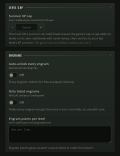
We are also turning off the Ark Update (Automatic) option in the console.
Mods:
Castles, Keeps, and Forts
Capitalism Currency
Capitalism Player Trader
Capitalism NPC Trader
Eco's Scorched Earth Decor
Eco's RP Decor
Eco's Stables Architecture and Decor
Eco's Shoppe Decor
Medieval Props
Auction House
Extra: This has made us very nervous as we haven't "opened" to the public yet. Is there a utility I can use to automatically backup our save files from the SurvivalServers FTP to a local machine or hard-drive, to prevent deletion?


Looks like the drive you were on was getting a little crowded. I cleaned up that machine and actually moved you over to the secondary drive on it as there was plenty of room on there.
Pretty sure this was the cause to your saves getting muddled.
If you would like to do some sort of scheduled backups outside of our ~6 hour backups, here's a guide with WinSCP and Windows FTP backups:
https://winscp.net/eng/docs/guide_schedule