

How to Fish Server Hosting
Our How to Fish server hosting plans come with the features you need
Your game server will come with the following, instantly available features:


Access to our custom Game Server Management Panel
The in-house Survival Servers game control panel allows you to configure and customize your How to Fish game server. Name your world, set friendly fire, switch locations, restore a save, and change any setting with our easy one click form. Survival Servers is a How to Fish dedicated game server provider with our custom panel.


Watch the How to Fish Trailer
How to Fish is a physics based fishing and survival game from Dazed Games where you and up to seven friends crash on a small island and have to fish your way home
Powered by Driftwood
Our free, open-source launcher and dedicated server for always-on co-op.
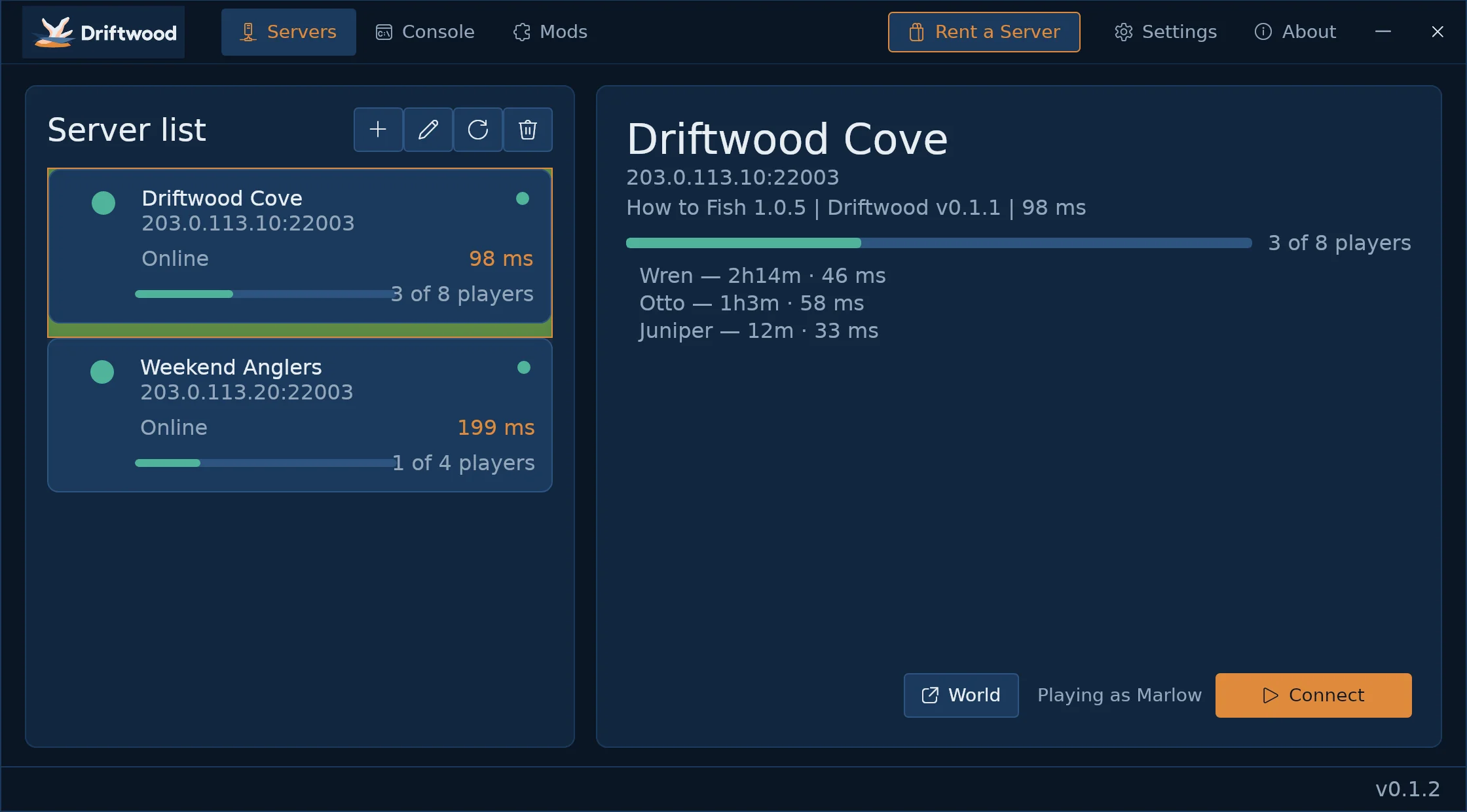
Always-On Waters
Your island stays up 24/7 even when nobody is logged in. No need to keep a host's game running.
Up to 8 in One World
Up to eight of you share one persistent world, with money, island unlocks and boat upgrades in common.
Easy Join
Friends add your server's address in Driftwood and drop in. No port forwarding, no host to wait on.
Fully Managed
Scheduled restarts, automatic world backups, validated restores and save-file FTP, all handled from your control panel.
Global Network, Multiple Hosting Locations
Switch locations any time. DDoS protection available.
How to Set Up a How to Fish Server
With SurvivalServers
- Choose a slot count and a hosting location
- Enter a Username, Password and Email Address or Signup with Google/Twitch
- Select your billing cycle
- Open your panel and wait for the server to show Ready
- Copy the server address shown in Server Details
- Install Driftwood, add that address, and hit Join
What players need
- Their own copy of How to Fish from Steam
- The free Driftwood launcher, installed once
- The server address from the owner - no port forwarding, no lobby code
Panel controls
- Start, stop, and restart
- Live player count and server status
- World name and friendly fire
- Scheduled restart interval
- Automatic backups, validated restore, and a save-only File Manager
Managed hosting
- We install and supervise the server-side components
- DDoS protection is included
- Your world stays online when nobody is connected
- Switch datacenter later from the panel, world and all
On your own
Driftwood is open source, so you can run a How to Fish server yourself.
- Own How to Fish on Steam - every player needs their own copy, the host included
- Get the free server package from GitHub
- Follow the self-hosting guide: copy your own game files to a Windows machine, install the server package, and start it
- Open two ports: your game port (UDP) and the one directly above it (TCP)
- Everyone joins the usual way - install Driftwood, add your address, hit Join
Prefer not to keep a Windows box online around the clock? That is the managed column on the left.
Why Host Your How to Fish Server With Us?
No Host, No Waiting
The game normally hosts on one player's PC, so the world closes when they log off. Yours is open whenever anyone wants to fish.
Progress That Sticks
Money, island unlocks, boat upgrades and boss progress live on the server, so the crew always returns to the world it left.
Backups and Save Access
Worlds back up automatically and restore from the panel, and you can pull the save files down over FTP whenever you like.
Eight DDoS-Protected Locations
Seattle, Los Angeles, Dallas, New York, Miami, Germany, France and Singapore, on high single-thread CPUs and NVMe drives.
Frequently Asked Questions about How to Fish Server Hosting
Plans come in 2, 4, 6 and 8 slots, and 8 is the game's own ceiling. Everyone in the group shares the same islands, money and boss progress.
Everyone installs the free Driftwood launcher once, pastes in the server address from your control panel, and hits Join. Each player also needs their own copy of How to Fish on Steam.
Dazed Games ships no dedicated server files for How to Fish, so we run the retail game headless under our own Driftwood host framework and supervise it for you. The result behaves like a dedicated server: it stays online when nobody is playing, and your world is not tied to one person's PC.
How to Fish is a physics based fishing and survival game from Dazed Games. You crash into a small island and have to fish your way home: catch and fight creatures, sell the haul, upgrade your boat and motor, and unlock new islands.
Yes. Money, island unlocks, boat upgrades and boss progress are stored on the server, so the crew comes back to the same world every time. Worlds are backed up automatically and restore from the panel.
There is no Steam Workshop for How to Fish, so the game has no built in mod browser. The community publishes BepInEx mods on Thunderstore instead, and those load on a player's own game client rather than on a server. The Driftwood launcher's Mods tab lists what a server has loaded; we do not install mods onto hosted servers.
Our network covers Seattle, Los Angeles, Dallas, New York, Miami, Germany, France and Singapore, all DDoS protected. The order form marks any city that is temporarily out of How to Fish stock, so pick from the locations it shows as available.
Yes. Move your server between any of our eight locations from the control panel and your world goes with it. Your server address changes when it moves, so pass the new one to the group in Driftwood.
How to Fish is developed by Dazed Games. Survival Servers is independent and is not affiliated with or endorsed by Dazed Games. Driftwood is our own launcher and server framework; every player still needs their own copy of How to Fish on Steam.