
Ships At Sea Server Hosting
Our Ships At Sea server hosting plans come with the features you need
Your game server will come with the following, instantly available features:


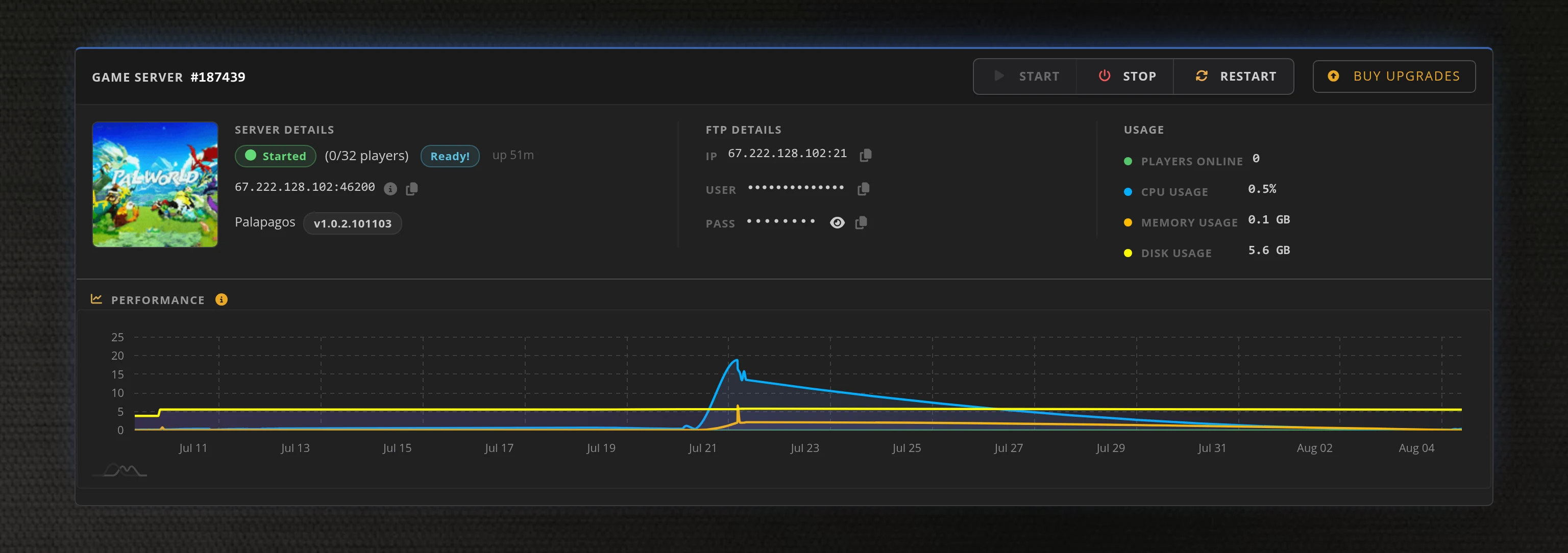
Access to our custom Game Server Management Panel
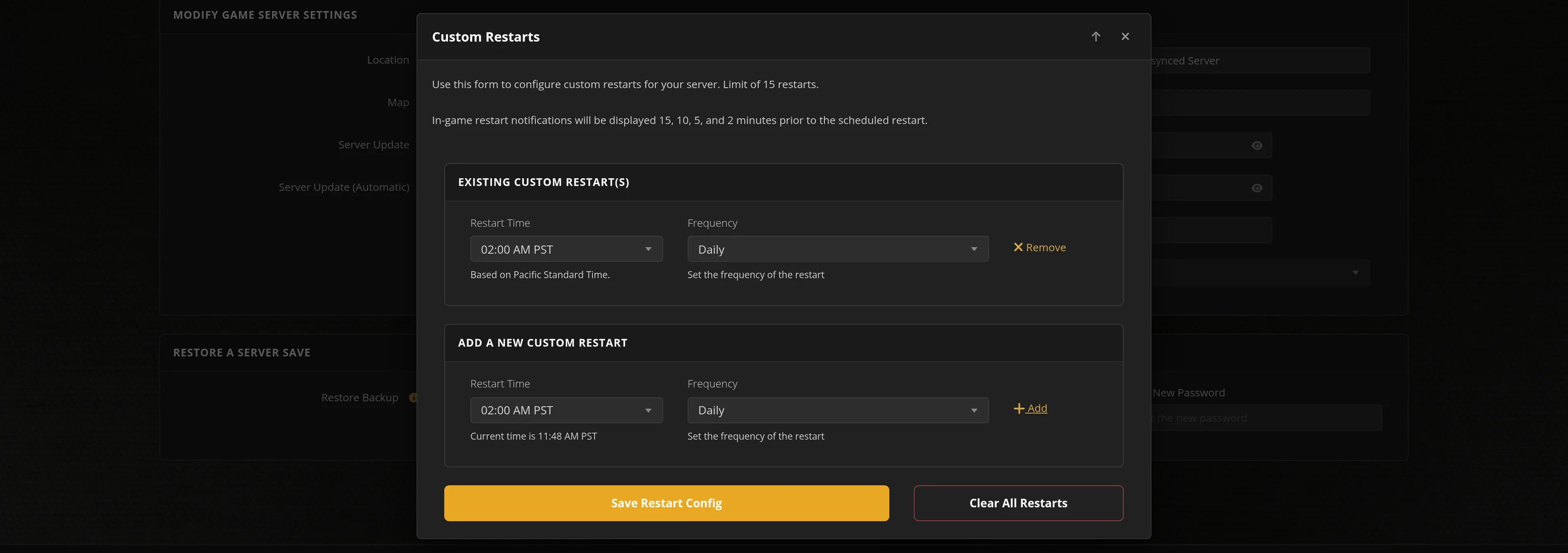
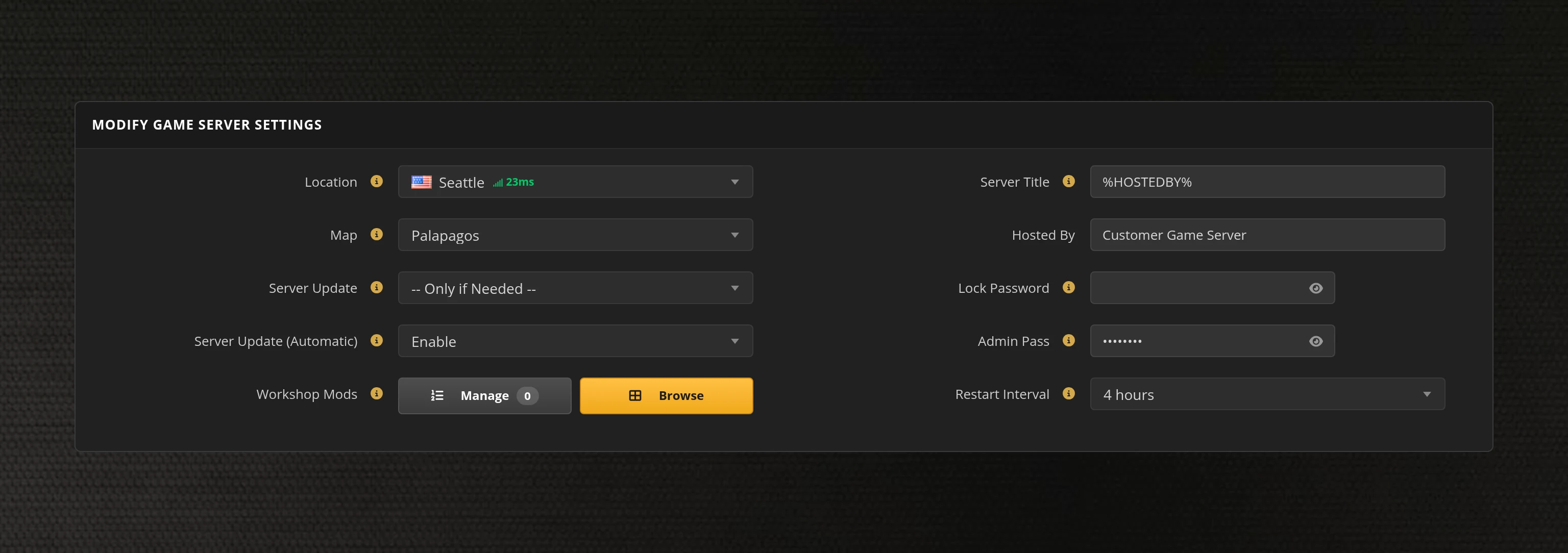
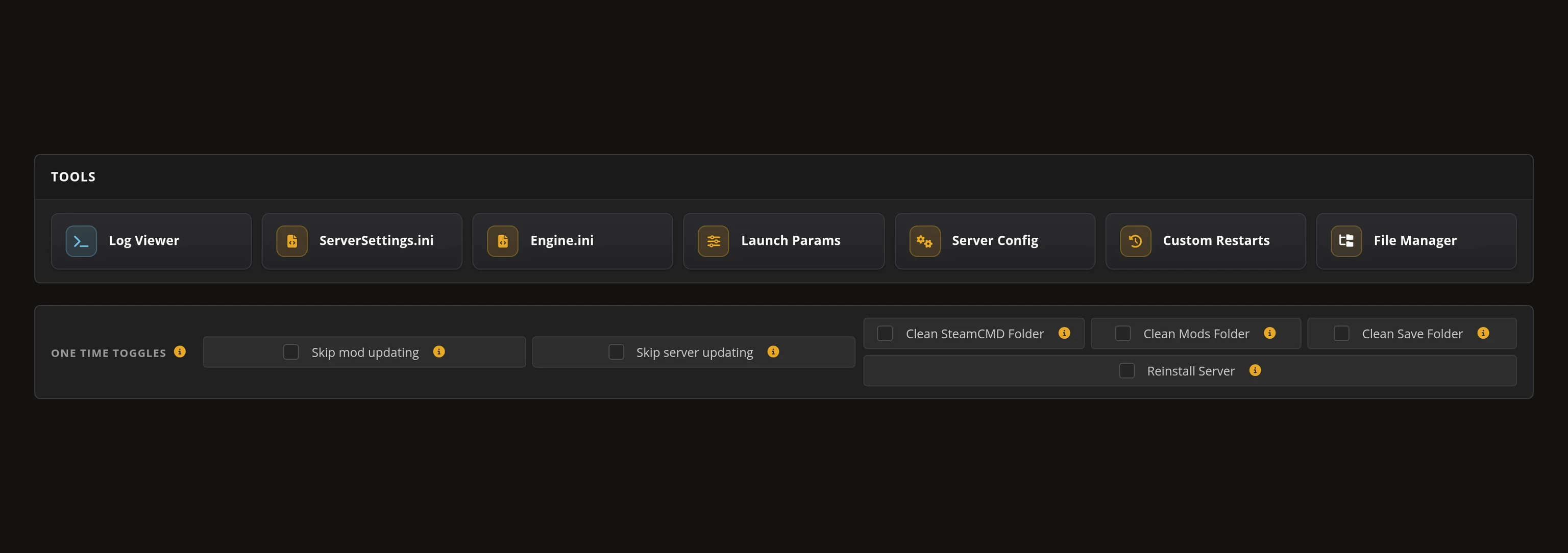
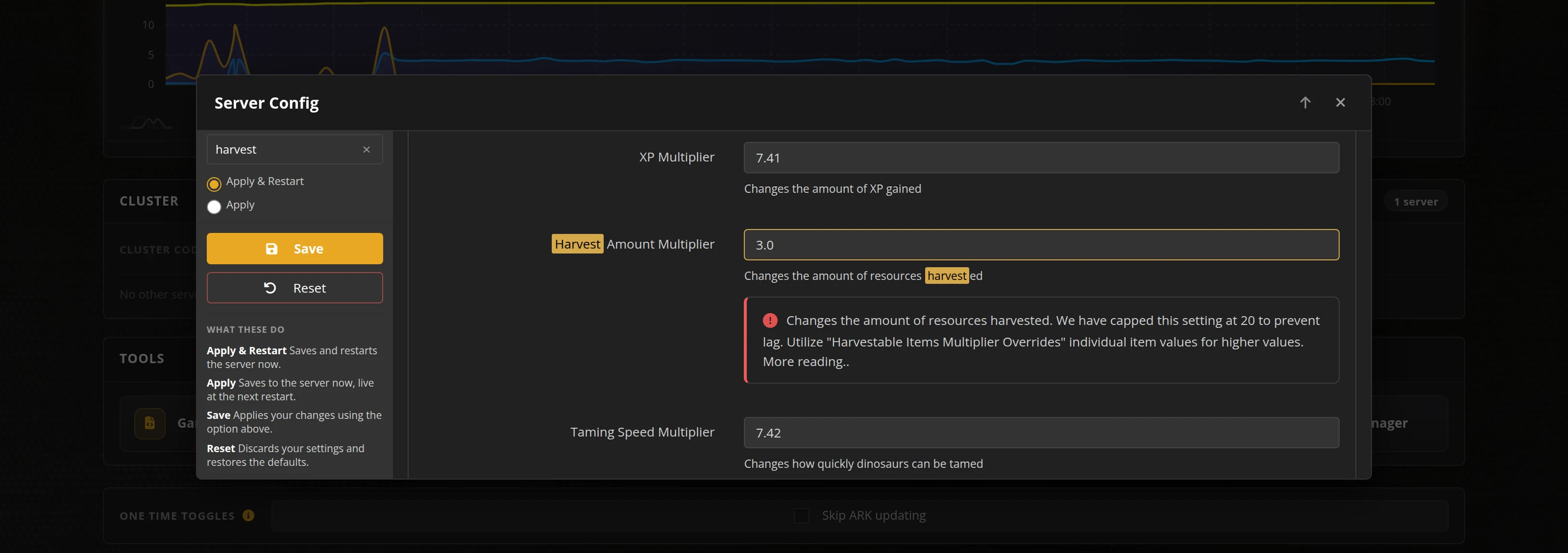
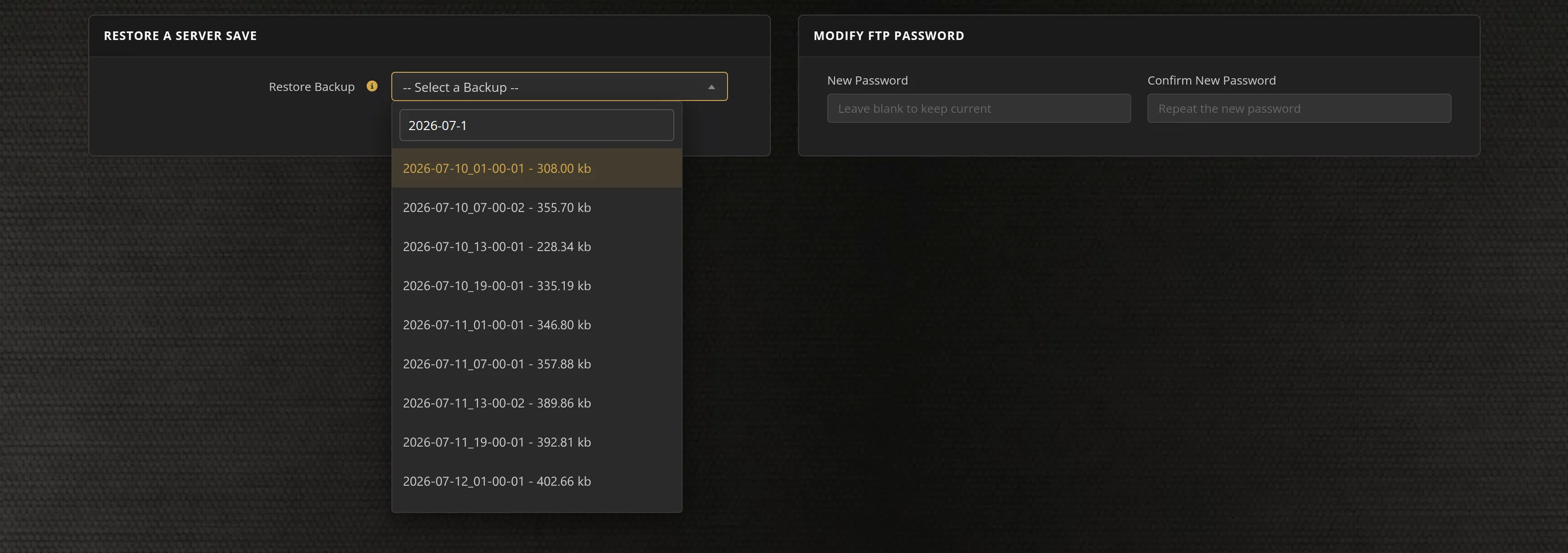
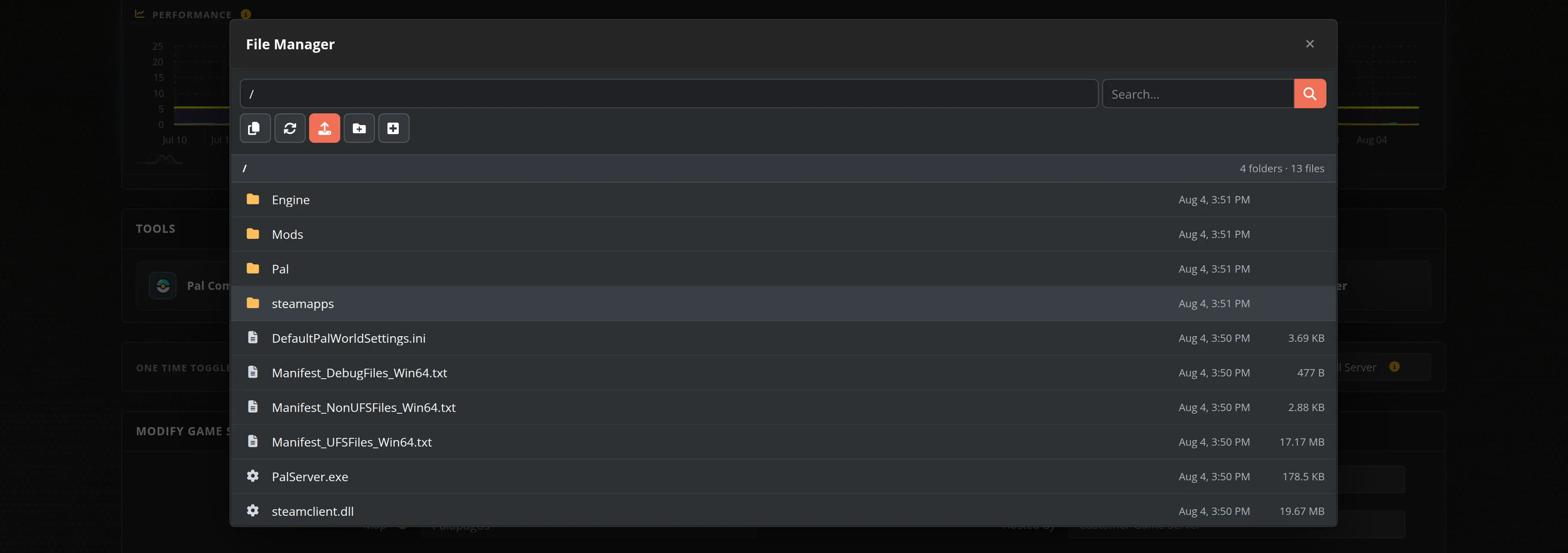
The in-house Survival Servers game control panel allows you to configure and customize your Ships At Sea game server. Set your server name and description, switch locations, and manage restarts and backups with our easy one click form. Survival Servers is a Ships At Sea dedicated game server provider with our custom panel.
Watch the Ships At Sea Trailer
Ships At Sea is an open-world ship simulator from Misc Games, the Norwegian studio behind Fishing: Barents Sea and Fishing: North Atlantic. Captain fishing vessels, cargo ships and rescue boats across a 46 km × 46 km recreation of Norway's Lofoten archipelago, building your maritime company solo or with friends.
Global Network, Multiple Hosting Locations
Switch locations any time. DDoS protection available.
How to Create a Ships At Sea Server — Ships At Sea Server Setup Guide
This free Ships At Sea server setup guide walks you through creating a dedicated Ships At Sea server the fast way (with SurvivalServers) and the DIY way (self-hosted on your own hardware).
Hosting your Ships At Sea server with us is effortless:
- Click Order Now above
- Enter a Username, Password and Email Address or sign up with Google/Twitch
- Select your slot amount, datacenter, and billing cycle
- Click "Order Now" and your Ships At Sea server is provisioned automatically, online in minutes with full control panel access
Without SurvivalServers
Running a Ships At Sea dedicated server yourself takes quite a bit more setup:
System Requirements
- A separate machine — Misc Games states the game client and the dedicated server cannot run on the same computer
- Around 2GB of disk space for the server, plus room for world autosaves as they grow
- Roughly 1GB of RAM per running server instance, and a machine you are willing to leave on whenever anyone wants to play
- A stable connection with the default ports forwarded:
7777and15000, both TCP/UDP (configurable with the-portand-beaconportswitches) - SteamCMD for headless installs
Installation
- Install the Ships At Sea Dedicated Server via SteamCMD (App ID
3951240). It is free and installs anonymously, so you do not need to own a second copy of the game. - In
SAS\Saved\Config\WindowsServer\, rename the shippedExample_DedicatedServerSettings.initoDedicatedServerSettings.iniand set yourDedicatedServerName,MaxPlayers(up to 16) andDedicatedServerDescription. - Forward ports
7777and15000(TCP/UDP) to the host machine and add matching firewall rules. - Start the server with
SasServer.exe -logand leave it running. - Players join from the in-game Multiplayer menu by searching for your server's name — there is no direct-IP join, so pick a unique name and share it with your crew.
- The server updates in lockstep with the game: after every game hotfix you must update the server tool yourself or updated players will no longer see it in the list.
Mods
- Ships At Sea has no mod support yet — Misc Games plans mod support only after the full release, and there is no Steam Workshop for it today.
Why Wait? Use SurvivalServers Instead
- Instant provisioning on enterprise NVMe SSD hardware with DDoS protection across 8 global datacenters
- Server name, slots and description managed through our custom Survival Servers control panel
- Automated restarts, scheduled backups, and full FTP access on day one
- Automatic updates on by default — the server tool ships in lockstep with game hotfixes, and an out-of-date server disappears from the in-game list, so we keep yours current for you
- No SteamCMD wrangling, no port forwarding, no firewall rules, no Windows or Linux updates to babysit
Ships At Sea Dedicated Server vs In-Game Co-op
Ships At Sea supports peer-to-peer co-op for up to 8 players — but then your company only exists while the host is online. A dedicated server raises the cap to 16 players and keeps your fleet running 24/7, so anyone in your crew can log in and play on their own schedule. And because Misc Games states the game and its dedicated server cannot run on the same computer, renting a server means nobody in your crew has to dedicate a second PC to the job.
Ships At Sea Settings, Saves and Sizing
Configuration
The server is configured through DedicatedServerSettings.ini — server name, player slots (up to 16) and the public server description — all managed from our control panel. Passwords and admin commands are not in the game yet; Misc Games lists server password protection as coming soon, and we will add it to the panel the day it ships.
Joining
There is no direct-IP join: players find your server by searching its name in the in-game Multiplayer list. Keep the name unique and easy to type — it is how your whole crew gets aboard.
Sizing
With a 16-player cap and a single light Unreal Engine process, Ships At Sea is one of the easier UE5 games to host. Strong single-thread CPU speed and NVMe storage keep a busy harbor smooth.
Location
Pick the datacenter closest to your group — lower latency makes close-quarters docking and ship handling feel noticeably better.
From the SurvivalServers Wiki
Ships At Sea Guides & Tutorials
Frequently Asked Questions about Ships At Sea Server Hosting
On a dedicated server, up to 16 players can sail together — double the 8-player cap of the built-in peer-to-peer co-op. Our plans run from 4 to 16 slots, and you can move up a plan at any time without losing your world.
Yes. Misc Games ships a free standalone dedicated server tool on Steam that anyone can download, added in update v0.8.6. Survival Servers runs that same official tool with instant setup, and because the tool updates in lockstep with game hotfixes, we keep your server on the current build automatically.
Players open the in-game Multiplayer menu and search for your server by its name — there is no direct-IP join. Give your server a unique, easy-to-type name and share it with your crew. Note that the game has no server passwords yet (Misc Games lists password protection as coming soon), so any player who finds your server name can join.
Not yet. Ships At Sea has no server password support today, and Misc Games lists password protection as coming soon. Until it ships, your server name works like the key, so keep the name obscure if you want a private crew. The moment the feature releases we will add a password field to the control panel.
Officially no. Misc Games states the game client and the dedicated server cannot run on the same machine, so self-hosting means dedicating a second computer that stays on whenever anyone wants to sail. Renting sidesteps that entirely: your server runs 24/7 on datacenter hardware and every PC in your crew is free to just play the game.
Both. Update v0.8.7 added Linux support alongside Windows for the dedicated server tool. Survival Servers runs your server on managed Windows hardware with automatic updates, so the operating system underneath is never something you have to think about.
Not yet. There is no Steam Workshop or mod support in Ships At Sea today, and Misc Games has said mod support is planned for after the full release. Until then every server runs the vanilla game, which also means any updated player can join any server without extra setup.
Misc Games has settled into quarterly major updates with hotfix bursts in between, and the dedicated server tool rebuilds in lockstep with the game. A server on an old build disappears from the in-game list for updated players, which is why automatic updates are on by default for every Ships At Sea server we host: when the game updates, your server follows without you touching anything.
Ships At Sea is in Early Access on Steam, buyable and fully playable today on PC, with regular content updates from Misc Games. Dedicated server support arrived with update v0.8.6, and the player cap on dedicated servers was raised to 16 in v0.8.7.
Ships At Sea is an open-world ship simulator from Misc Games, the Norwegian studio behind Fishing: Barents Sea and Fishing: North Atlantic. You captain fishing vessels, cargo ships and search-and-rescue boats across a 46 km by 46 km recreation of Norway's Lofoten archipelago, building a maritime company solo or with your crew.