
Factorio Server Hosting
Every Factorio server includes


Space Age worlds are fully supported. All players need the Space Age DLC to join a Space Age world. Vanilla Factorio worlds work for everyone.
Our own control panel
Edit every server setting and world generation option, switch locations, and manage saves from your control panel.


Watch the Factorio: Space Age Trailer
Factorio is a factory-building game from Wube Software: crash-land on an alien planet, mine, research and automate ever bigger factories, and defend them from the biters your pollution draws in. The Space Age expansion takes your factory to new planets and space platforms.
Powered by Switchboard
Switchboard is our Factorio tool in your control panel, with a live map of your factory, production charts and a web console.
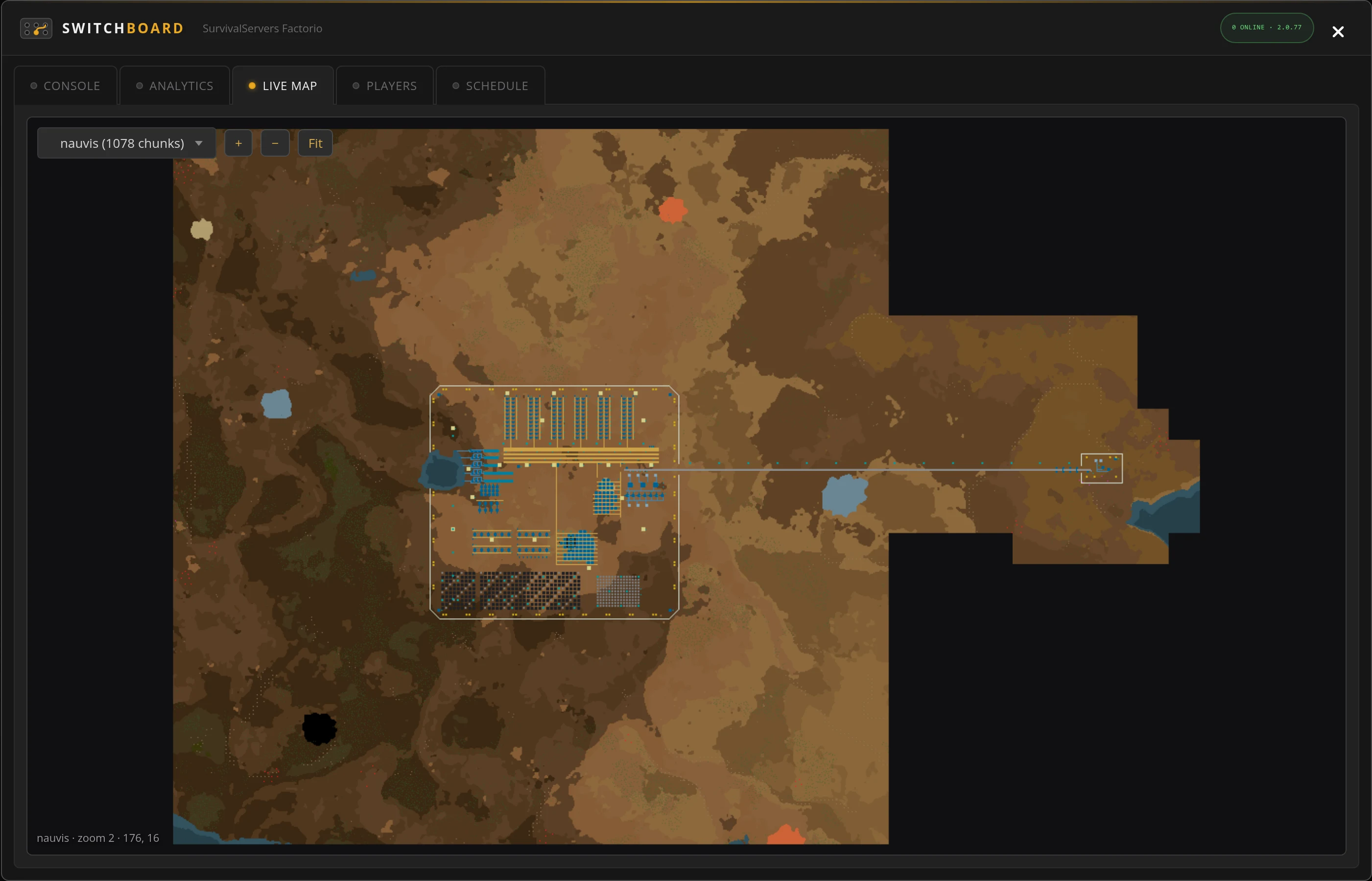
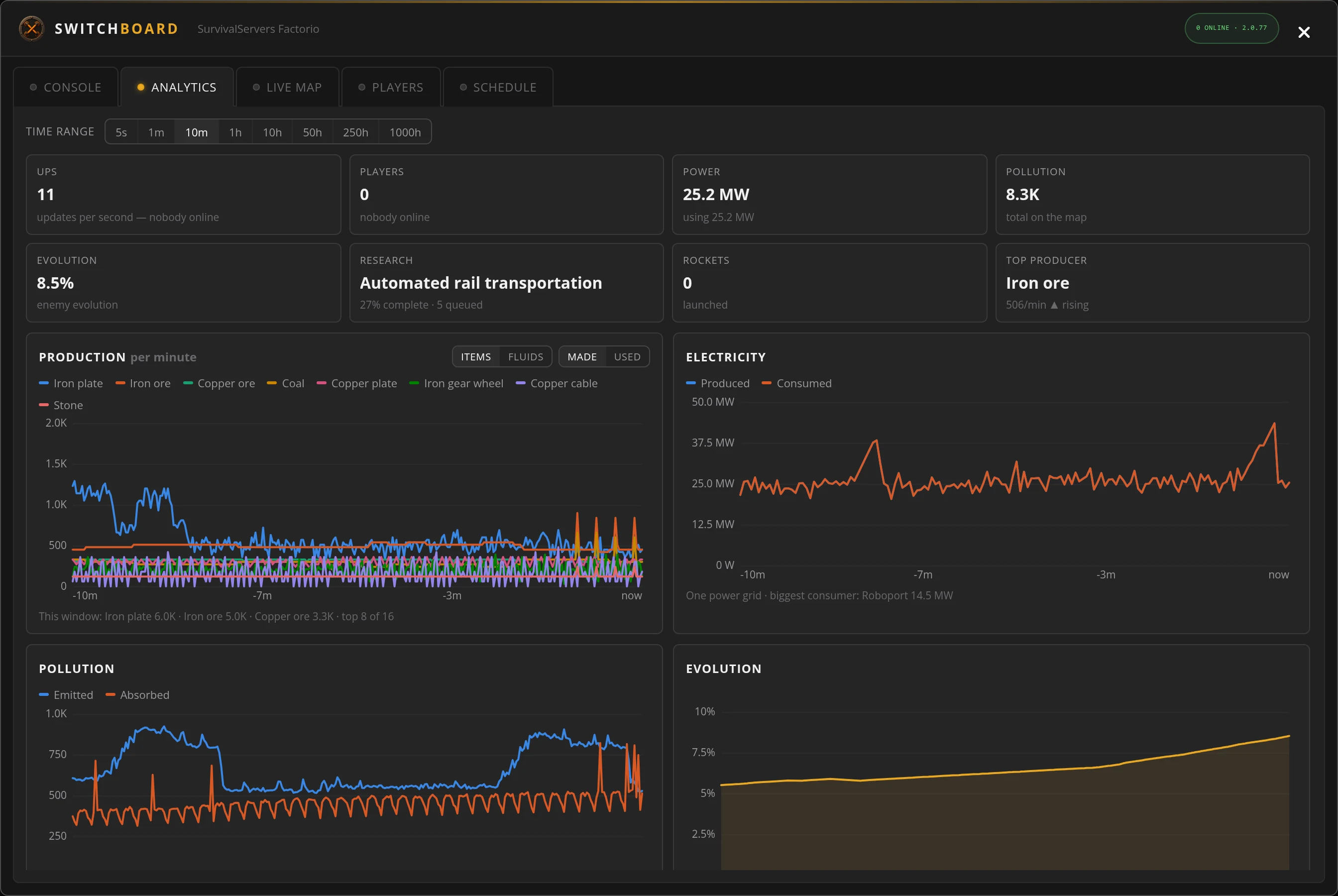
Live factory map
Watch your base grow on a live map of the whole world, at every zoom from map view to belt level.
Production analytics
See production, power, pollution and evolution charts from the game's own statistics.
Web console
Run server commands and read the output right in your browser, no RCON client needed.
Players and restarts
See who's online beside the live map, and set your own restart times with Custom Restarts.
Server locations
Switch any time. DDoS protection included.
How to create a Factorio server: Factorio server setup guide
This guide shows how to set up a Factorio dedicated server the fast way, with Survival Servers, and the DIY way, on your own PC.
Hosting your Factorio server with us takes four steps:
- Click Order Now above
- Enter a username, password and email, or sign up with Google, Twitch or Discord
- Pick your slots, billing cycle and location
- Click "Order Now" and your Factorio server is online in minutes, with your control panel ready
Without Survival Servers
Running a Factorio dedicated server yourself takes more setup:
System Requirements
- Windows, Linux or macOS. The free headless server from factorio.com is Linux only, and on Windows you run the full game with
--start-server - About 3 GB of disk space, plus room for saves as your factory grows
- RAM grows with your factory: a fresh world idles under 500 MB, and a big megabase can need several GB and a fast single-thread CPU
- A machine you are willing to leave running whenever anyone wants to play
- A stable connection with the Factorio port forwarded (default
34197UDP, configurable)
Installation
- Download the free headless server from factorio.com (Linux), or install the game through Steam or SteamCMD. Steam has no separate dedicated server app, so SteamCMD needs an account that owns Factorio.
- Create a world first:
./factorio --create saves/world.zip, optionally with--map-gen-settingsand--map-settingsJSON files for custom resources, enemies and terrain. - Start it with
./factorio --start-server-load-latest --server-settings server-settings.json. The example settings file in thedata/folder documents every option. - Forward UDP port
34197(or whichever port you set) to the host machine, and add a matching firewall rule. Add--rcon-portand--rcon-passwordif you want remote admin. - Keep the server updated: Factorio needs the server and every player on exactly the same version, so after each stable release nobody can join an old server until you update it.
- Admins go in
server-adminlist.json, and bans and whitelists have their own JSON files beside it. - Share your public IP and port with players. They join from Multiplayer → Connect to address.
Space Age and mods
- The Space Age expansion runs as three built-in mods (space-age, quality, elevated-rails) enabled in
mods/mod-list.json. With them on, every player needs the DLC to join. - Factorio has one of the biggest modding scenes in gaming on its official mod portal. On a dedicated server, every player who joins is offered the server's mods to download automatically.
Why Wait? Use Survival Servers Instead
- Online in minutes on SSD drives, with DDoS protection in all 8 locations
- Change every server setting and world generation option from your control panel
- Update to Wube's latest stable release from your control panel
- Scheduled restarts, backups, RCON and full FTP access from day one
- No SteamCMD, port forwarding or firewall rules to deal with
Factorio dedicated server vs in-game co-op
You can host Factorio multiplayer from inside the game, but then your factory only runs while the host is online, and everyone plays on the host's home connection. A dedicated server keeps your world online 24/7, so anyone in your group can log in and push the base forward on their own schedule.
Factorio settings, saves and sizing
Configuration
Factorio keeps its server settings in server-settings.json (verification, autosaves, pausing, admins and public listing) and world generation in separate files (preset, seed, resources and enemies). Change all of it from your control panel, or over FTP if you prefer.
Console commands
Your server has RCON on its own port, so player list, save, kick, ban, promote and chat commands work from any Source RCON client. Switchboard's web console runs them in your browser too.
Sizing
A young factory is one of the lightest servers in gaming, and a late-game megabase one of the heaviest. Factorio runs its update loop on a single core, so a fast Intel/AMD CPU, with NVMe SSD on Premium, helps a big base hold 60 UPS.
Location
Pick the location closest to your group. Lower ping keeps building and biter defense feeling instant.
From the Survival Servers Wiki
Factorio Guides & Tutorials
Frequently Asked Questions about Factorio Server Hosting
Plans run from 2 to 32 player slots. Factorio has no hard player cap, so start small with friends and move up a plan later without losing your world. Community events have run hundreds of players on one map.
Yes. Wube Software makes an official dedicated server, set up with JSON files and RCON. We run that server with instant setup and every setting and world generation option in your control panel.
Yes. Tick Space Age World in your control panel before the world is created. Every player then needs the Space Age DLC to join, and a world without it is open to every Factorio player.
Factorio needs the server and every player on exactly the same version, so after a stable release an old server can't take updated players. Update the server from your control panel and they can join again.
Factorio is a factory-building and automation game from Wube Software, rated Overwhelmingly Positive on Steam. You mine resources, research technology and build automated factories while defending them from the biters, alone or in co-op. The Space Age expansion, out since October 2024, takes your factory to new planets and space platforms.