
ARK: Survival Ascended Crossplay Servers
PS5, Xbox and PC Players on One ARK Server
ARK: Survival Ascended crossplay works on dedicated servers. One server takes Steam, PlayStation 5, Xbox Series X|S and Microsoft Store players in the same world, and every server we run starts that way.
Can You Host Your Own ARK: Survival Ascended Server?
Yes. The ARK: Survival Ascended dedicated server is a free download through SteamCMD (app 2430930), and you do not need a Steam account to get it. Wildcard dropped the one-server-per-account limit in October 2023 with patch 25.18. Our dedicated server guide covers the self-hosted setup.
The server is a Windows program. A PS5 or Xbox cannot run one, so a console group plays on a server someone runs for them: a PC in the group that stays on around the clock, or a rented server.
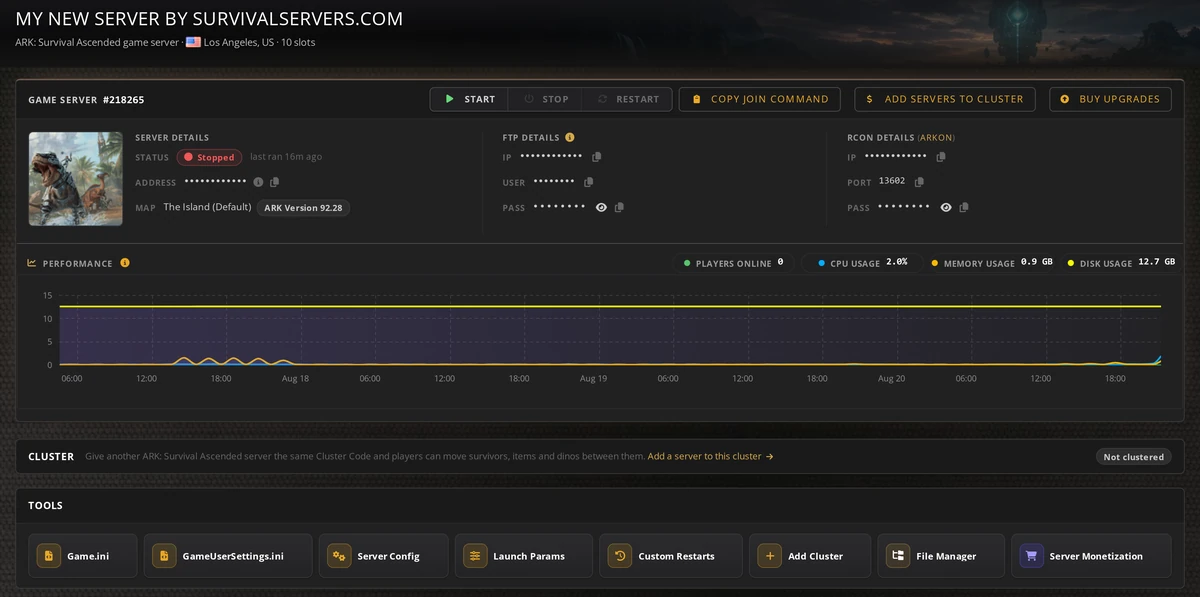
Renting gets you the same server without buying the PC. The control panel handles restarts, backups, mods and clusters, and the machine is not in your house.
Is Nitrado the Only ARK: Survival Ascended Host?
No. Nitrado runs Wildcard's official servers and is the host you can rent from inside the game's own menus, under a 2023 agreement with Snail Games, ARK's publisher.
Every other server is an unofficial server, and that is where most people play. On September 1, 2026, ArkStatus counted 20,721 players on public unofficial servers and 8,903 on official ones.
Unofficial servers are run by players on their own PCs and by hosting companies. Survival Servers has hosted ARK servers since 2015. We are not Nitrado, and a server you rent from us is an unofficial server.
Crossplay is normal there: 92% of the servers ArkStatus tracks take PS5 players.
How PS5 and Xbox Players Join an ARK: Survival Ascended Server
You can also join by address. Turn on Console Access under Settings, Advanced, open the console (L1 + R1 + Square + Triangle on PS5, LB + RB + X + Y on Xbox) and type open followed by the server's IP and port. This only works when the server has no password.
PC steps and direct connect are in How to Join an ARK: Survival Ascended Server.
ARK: Survival Ascended Crossplay Settings That Decide Who Gets In
Crossplay Platform
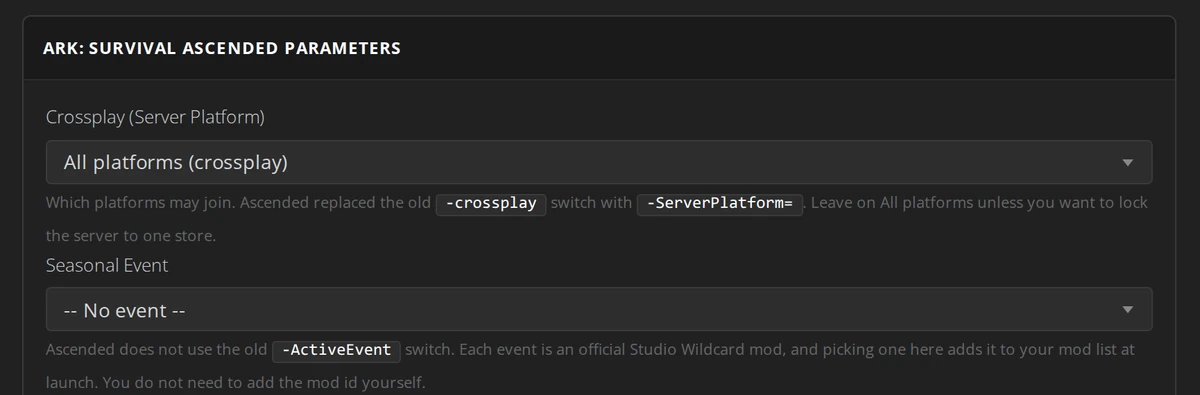
The Crossplay (Server Platform) setting in the control panel's launch parameters starts on All platforms. Pick a narrower option only if you want to keep a platform out.
BattlEye
PS5 and Xbox players always run BattlEye, so a server with BattlEye switched off does not show up for them. Keep it on.
Mods
Console players can only load mods marked for crossplay on CurseForge. One PC-only mod keeps every console player out, so check each mod before you add it. How to add mods to an ARK: Survival Ascended server shows where to look.
Game Version
After a game update, players on the new version cannot join a server still on the old one. Turn on automatic updates in the control panel, or press Update after a patch.
Paid Maps on a Crossplay Server
Astraeos and Lost Colony are paid maps. Every player needs to own the map on their own platform to join a server running it, on PC, PS5 or Xbox alike. The other eight official maps are free. Our ARK: Survival Ascended server plans run the paid maps at any slot count, starting at 10.


From the SurvivalServers Wiki
ARK: Survival Ascended Guides & Tutorials
Frequently Asked Questions about ARK: Survival Ascended Crossplay Servers
Yes. A dedicated server runs on a PC and takes PS5 players by default. They find it under Unofficial with Show Player Servers ticked.
Yes, on the same dedicated server, together with Steam and Microsoft Store players.
No. The dedicated server is a Windows program. Console players play on a server someone else runs: a friend's PC that stays on, or a rented server.
Four usual causes: Show Player Servers is not ticked, BattlEye is off on the server, a mod on the server is PC-only, or the server is on an older game version than their console.
Yes, as long as every mod on the server is marked for crossplay on CurseForge. One PC-only mod locks console players out.
The server keeps running for a day after the due date. Two days after it, the server stops, and paying the invoice from the control panel brings it back as it was. Four days after the due date, the server and its files are deleted. Turn on Auto-Pay in your account and it renews by itself.
ARK: Survival Ascended and ARK are trademarks of Studio Wildcard. Survival Servers is not affiliated with, endorsed or sponsored by Studio Wildcard, Snail Games or Nitrado.