Steven
VeteranCommunity Favorite
Staff
·
· 0 replies hidden
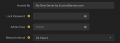
In the ASA browser, player-hosted servers only show up on the Unofficial tab, and only when the Show Player Servers box is ticked, so check that before anything else. If it still doesn't appear by name, the server may be using a different session name than the one you're searching for. Search by the exact SessionName value in your server settings, or join directly by IP and port from the console. The console opens with Tab by default, or with the tilde key on some keyboard layouts, and the in-game setting has to be enabled before you load into the menu. To use admin commands, run enablecheats followed by your admin password from the server config. If none of that gets you in, post the server name as it appears in your settings and whether you're on Steam, Epic, or console so we can track down where it's going wrong.
Reply
Permalink