
Necesse runs a real dedicated server, and it is one of the easier ones to live with: a small Java process, a bundled runtime, and a save format that survives being moved around. Setting up a Necesse dedicated server is mostly painless. The two things that catch people out are Workshop mods and who counts as an admin, and neither of them fails in a way that tells you what went wrong.
We added Necesse to our roster on August 7, 2026, and it has been one of the smoothest additions to the games we host. This is what we learned running it.
What the Necesse dedicated server actually is
The server ships with the game as a separate download, listed on Necesse’s own Steam page, and runs on Java with its own runtime bundled in. You do not install a JDK, you do not pick a Java version, and there is no separate server build to match against your client's build number the way there is in Valheim or Palworld.
It is genuinely light. A Necesse world with a handful of players sits comfortably in a fraction of the memory an equivalent Palworld or ARK server needs, and the process is single-threaded enough that raw clock speed matters more than core count. That is why it deploys in about a minute: there is no 11 GB depot to pull down first.
The mod trap: a modded server refuses vanilla clients
This is the one that costs people an evening, so it goes first.
Necesse verifies mods when a client connects. If the server is running a mod list and the joining player is not running the same list, the server refuses the connection. It does not download the mods for them, it does not warn them, and it does not join them into a degraded session. The player sees a failed connection and assumes the server is down.
So the rule is simple and absolute: every person who plays on a modded Necesse server needs the same mods installed locally. If you want a server your friends can join by pasting an address into the client with nothing else to do, keep it vanilla.
When you do want mods, the Workshop picker in our control panel handles the server half. You pick the mods you want, and the jars are pulled and synced into the server's mod directory on the next start or restart. Load order is the order you set. Adding or removing a mod is a restart, not a reinstall, and the world carries over.
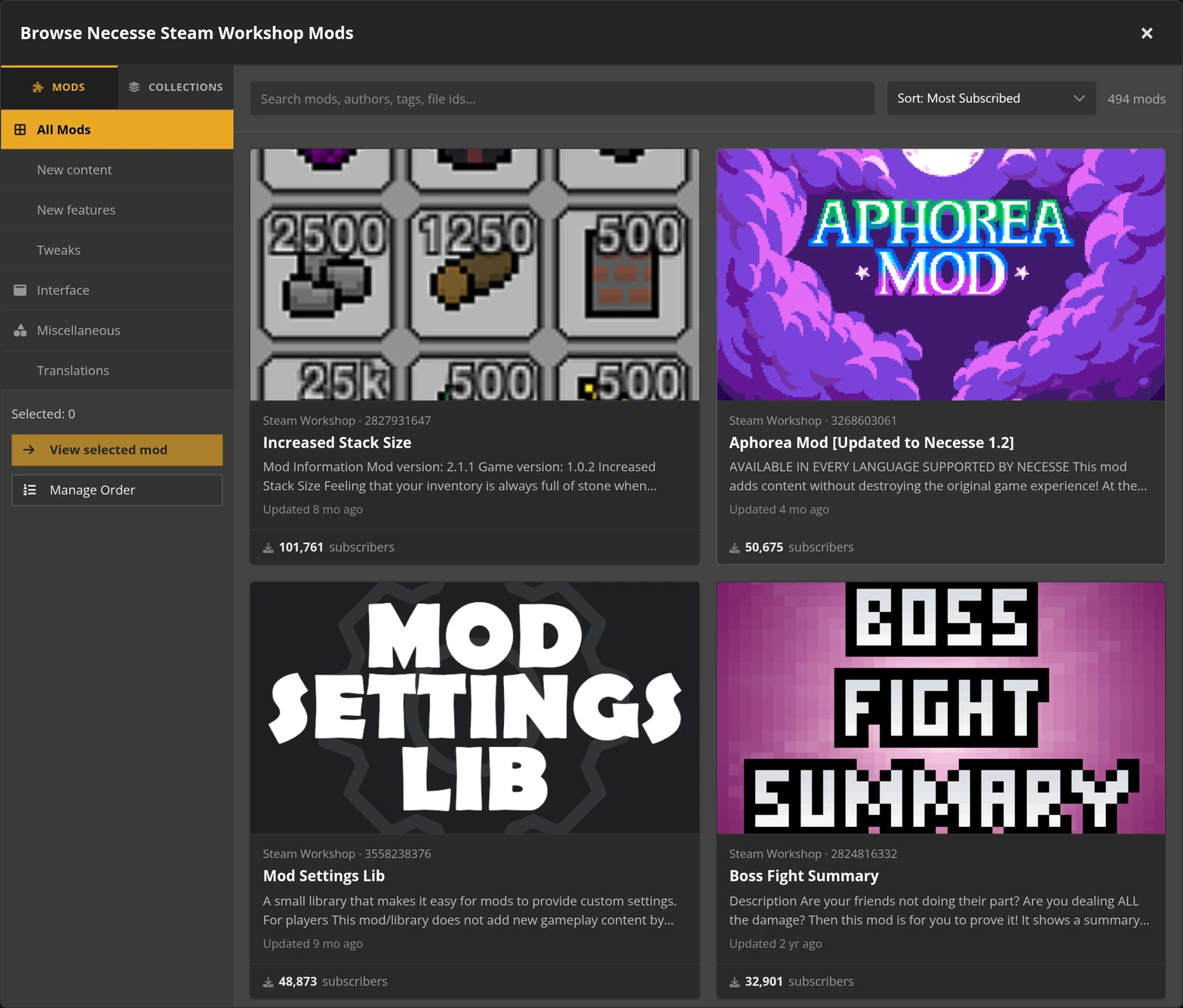
The half we cannot do for you is the client half. Subscribe to the identical Workshop items on every player's account before anybody tries to join, and re-check it after you change the list.
Admin rights come from one field, and it is not your Steam name
Necesse decides who owns a server from a player name passed to the server at launch, not from a Steam ID and not from a config file you edit after the fact. In our panel that is the Admin Player Name field.
Two things follow from that, and both of them are the reason support tickets get opened:
- It is the in-game character name, spelled exactly. Not your Steam display name, not your account name. Case and spacing count.
- It is read at launch. Change it and the server needs a restart before the change means anything.
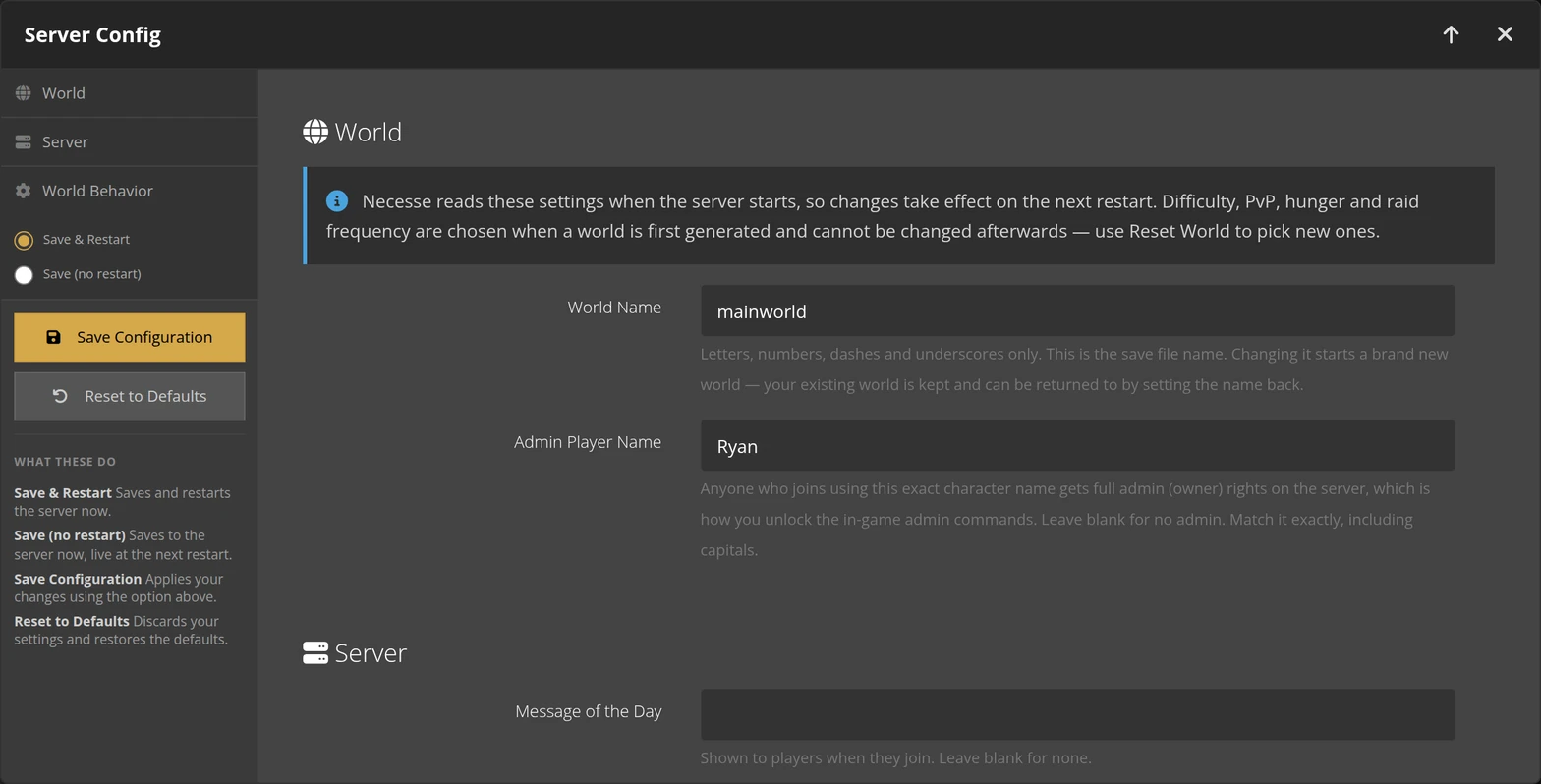
Get it right and you have admin the moment you connect. Get it wrong and you are a normal player on your own server, with no error anywhere to tell you so. If you are locked out, that field is the first thing to check, and the Necesse server configuration guide walks through the rest of the settings alongside it.
Joining a Necesse dedicated server
Necesse has no in-game browser entry for privately hosted servers, which surprises people coming from games that do. Your server is not missing and it is not unlisted by mistake; there is simply no list for it to be on.
Players join by address. In the game, open Multiplayer, choose Add server, and paste the address and port. It stays in the list after that, so it is a one-time step per player, and the walkthrough for joining a Necesse server has it with screenshots.
Two details worth knowing. The port we assign is not the game's own default, because we host well over a hundred games across our datacenter locations and the default range collides with other titles; always use the address the panel shows you rather than one you remember from a single-player host. And Necesse does not run a separate Steam query port, so any tool that expects one will report your server as offline while it is running perfectly well. Player counts in our panel come from the game's own status response instead.
Worlds, saves and moving between single-player and a server
A Necesse world is a directory, and it moves. A world you started in single-player can be uploaded and run as a server world, and a server world can be pulled down and opened locally. That is unusually forgiving, and it means the answer to "can we keep the world we already started" is yes.
One caveat from running these at scale: each server instance keeps its own isolated save location, so a world only appears where you actually put it. If you upload a world and do not see it, it landed beside the running instance rather than inside it. The file manager in the panel shows both, and the world list the server reads is the one in its own directory.
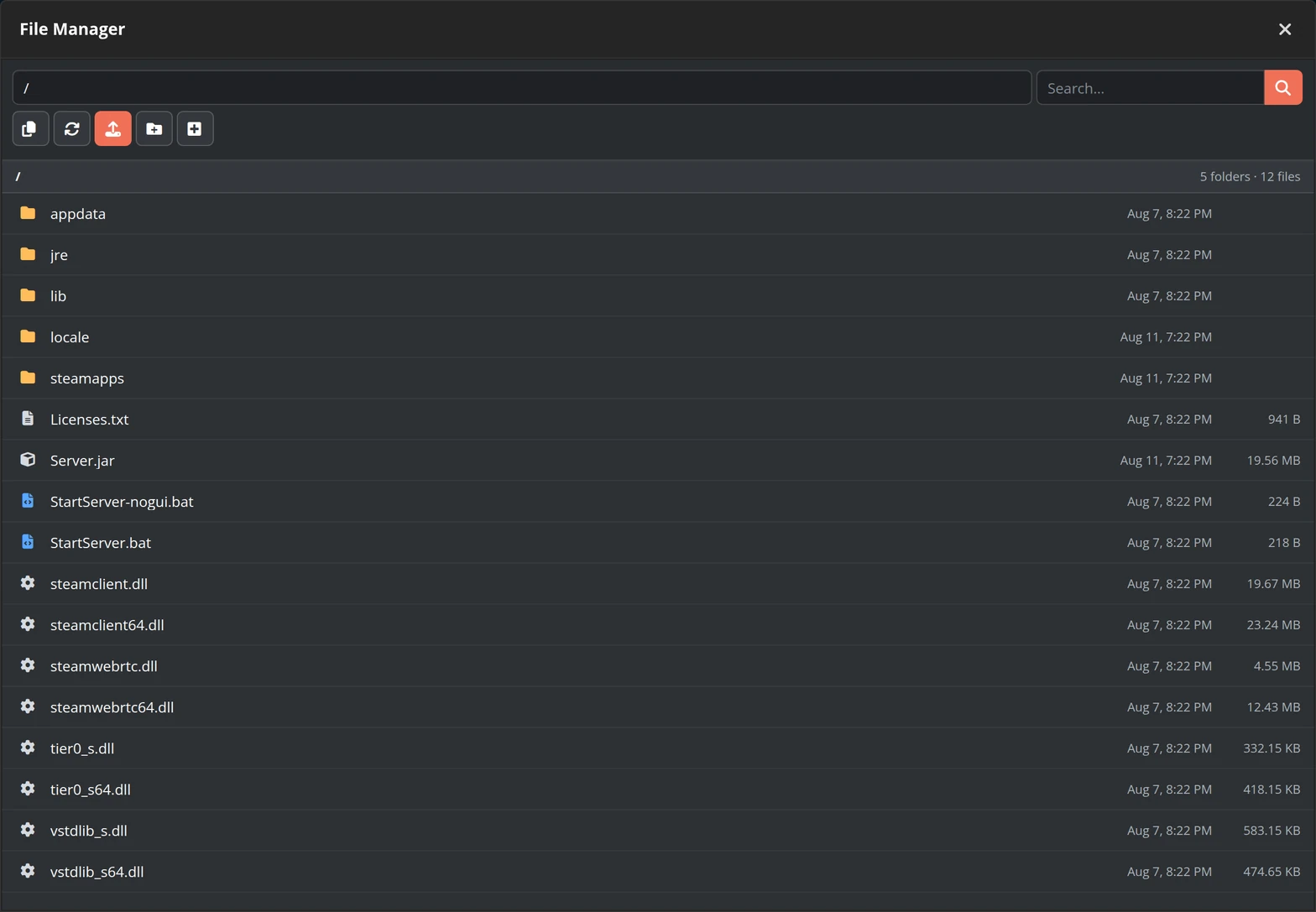
Back up before you swap a world. Not because Necesse is fragile, but because a world swap is the one operation where the mistake is unrecoverable if there is no copy. If a swap goes wrong and you did take one, open a ticket and we can restore it for you.
What we would tell a first-time host
Start vanilla. Get everyone connected by address, confirm your admin name works, play a session. Then add mods deliberately, one batch at a time, and tell everyone what to subscribe to before you restart. Almost every Necesse problem we have seen is a mod-list mismatch or a misspelled admin name, and both of them look identical from the player's side: a server that will not let them in.
If you would rather read the whole thing before you start, the step-by-step Necesse server setup guide covers the build from an empty world onward. And if you want one running now, our hosted Necesse servers deploy in about a minute with the Workshop picker, full file access and scheduled backups already set up.
 Written by , CEO at Survival Servers
Staff ← All news
Written by , CEO at Survival Servers
Staff ← All news
 Stardew Valley
Comments
No comments yet. If you run one of these servers, what did you hit?